
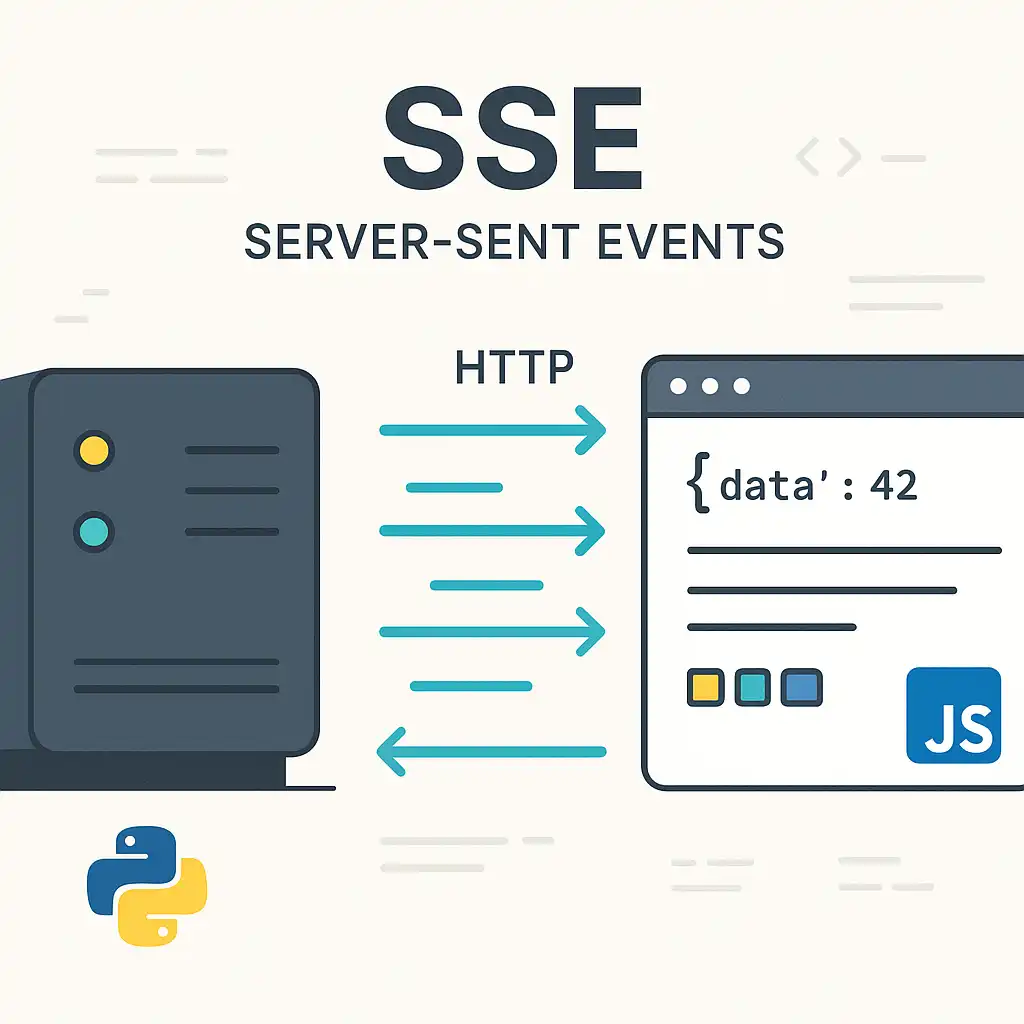

If you need live updates in the browser without the complexity of full‑duplex protocols, Server‑Sent Events (SSE) are a beautifully simple fit. As a Python-leaning engineer, I love SSE because it rides on plain HTTP, integrates cleanly with existing backends, and is ridiculously easy to consume from JavaScript and TypeScript.
What SSE is (and how it works)

- SSE is an HTTP response that never really “finishes.” The server sets Content-Type: text/event-stream and streams events as lines of text.
- The browser uses EventSource to open a long‑lived GET request and dispatches messages as they arrive.
- The framing is line-based and simple:
- data: your payload (can appear multiple times per event; lines are joined with newlines)
- event: optional custom event name (otherwise the event is message)
- id: optional; if present, browsers send Last-Event-ID on reconnect
- retry: optional; client reconnection delay hint in milliseconds
- SSE is unidirectional: server → client only. For many products, that’s all you need.
When to reach for SSE
- Live dashboards and analytics
- Notifications and activity feeds
- Log/trace tailing in web consoles
- Progress updates for long-running jobs
- Collaborative UI where the server pushes state changes
Quick look at the wire format
id: 42
event: notification
data: {“title”:”Build finished”,”status”:”success”}
id: 43
data: first line of payload
data: second line of payload
Note: A blank line terminates an event. Multiple data lines become a single string with embedded newlines.
Client: JavaScript quick start
const es = new EventSource(‘/events’);
es.onopen = () => {
console.log(‘SSE connected’);
};
es.onmessage = (event) => {
// Default “message” events
const payload = JSON.parse(event.data);
console.log(‘message:’, payload);
};
es.addEventListener(‘notification’, (event) => {
const payload = JSON.parse(event.data);
console.log(‘notification:’, payload);
});
es.onerror = (err) => {
// EventSource will auto-reconnect unless you call close()
console.warn(‘SSE error (auto-reconnecting):’, err);
};
// Close when you no longer need updates (important on SPA route changes)
// es.close();
Notes
- EventSource only supports GET and does not let you set arbitrary headers. If you need auth, prefer cookies/sessions or pass a short-lived token in the query string. For cross-origin, configure CORS normally.
- You can use withCredentials: true if you rely on cookies across origins (ensure Access-Control-Allow-Credentials: true on the server and do not use wildcard origins).
Client: TypeScript utility with typed handlers
Type ServerEventHandler
interface ConnectSSEOptions<TDefault = unknown> {
token?: string; // if you need a bearer-like token in the query
withCredentials?: boolean; // use cookies
onOpen?: () => void;
onError?: (e: Event) => void;
onMessage?: ServerEventHandler
events?: Record<string, ServerEventHandler
}
function connectSSE<TDefault = unknown>(
url: string,
opts: ConnectSSEOptions
): EventSource {
const qs = opts.token ? (url.includes(‘?’) ? ‘&’ : ‘?’) + ‘token=’ + encodeURIComponent(opts.token) : ”;
const es = new EventSource(url + qs, { withCredentials: !!opts.withCredentials });
es.onopen = () => opts.onOpen?.();
es.onerror = (e) => opts.onError?.(e);
if (opts.onMessage) {
es.onmessage = (ev) => {
try { opts.onMessage!(JSON.parse(ev.data)); }
catch { opts.onMessage!(ev.data as unknown as TDefault); }
};
}
if (opts.events) {
Object.entries(opts.events).forEach(([name, handler]) => {
es.addEventListener(name, (ev) => {
const me = ev as MessageEvent;
try { handler(JSON.parse(me.data)); }
catch { handler(me.data); }
});
});
}
return es;
}
// Example usage
const es = connectSSE(‘/events’, {
onOpen: () => console.log(‘connected’),
onMessage: (d) => console.log(‘default message’, d),
events: {
notification: (d) => console.log(‘notification’, d)
}
});
// Later: es.close();
Server: Python (FastAPI) minimal SSE endpoint
from fastapi import FastAPI, Request
from fastapi.responses import StreamingResponse
import asyncio, json, time
app = FastAPI()
async def sse_event_generator(request: Request):
counter = 0
while True:
if await request.is_disconnected():
break
# Heartbeat every 15s if you have no real data to send
# yield ": keep-alive\n\n"

counter += 1
payload = {"counter": counter, "ts": time.time()}

# Example custom event
yield f"id: {counter}\n"
yield "event: tick\n"
yield f"data: {json.dumps(payload)}\n\n"

await asyncio.sleep(1)
@app.get(‘/events’)
async def events(request: Request):
headers = {
‘Cache-Control’: ‘no-cache’,
‘Connection’: ‘keep-alive’,
‘X-Accel-Buffering’: ‘no’ # disables buffering in some NGINX setups
}
return StreamingResponse(sse_event_generator(request), media_type=’text/event-stream’, headers=headers)
Production notes for servers
- Heartbeats: Send a comment line (“: keep-alive\n\n”) every 15–30 seconds to keep proxies/load balancers from idling out the connection.
- Buffering: On NGINX, set proxy_buffering off for SSE locations; send X-Accel-Buffering: no. On HAProxy/ALB, disable response buffering and extend timeouts.
- Timeouts: Increase idle timeouts. Many platforms default to 30–60s; keep the connection chatty via heartbeats.
- HTTP/2: SSE works great over HTTP/2. Each client still consumes a stream, but HTTP/2 helps with head-of-line blocking and multiplexing other requests.
- Reconnect and replay: If you emit id: values, browsers send Last-Event-ID on reconnect. Your server can use this to replay missed messages (often via a short-lived backlog or a pub/sub buffer).
- Auth: EventSource can’t set custom headers. Prefer cookie-based auth or put a short-lived token in the query string and validate it server-side. Use HTTPS.
- CORS: If cross-origin, return the correct Access-Control-Allow-Origin (and possibly Allow-Credentials) headers.
- Scaling: Fan-out using a message broker (Redis Pub/Sub, NATS, etc.). For multiple app instances, either sticky sessions or shared pub/sub so any node can serve the stream.
SSE vs. other real-time techniques
-
SSE vs WebSockets
- Directionality: SSE is server→client only; WebSockets are full duplex. If clients must send frequent real-time messages back, WebSockets fit better.
- Simplicity: SSE is just HTTP; no custom protocols. Auto-reconnect and Last-Event-ID are built in.
- Binary: SSE is text-only. WebSockets handle binary efficiently.
- Infra compatibility: SSE traverses proxies/CDNs more easily because it’s plain HTTP; WebSockets still work broadly but may need extra config in legacy networks.
- Headers: In browsers, both EventSource and WebSocket lack arbitrary header control. SSE leans on cookies or query params; WebSocket has subprotocols but not custom headers in the standard API.
- Message ordering and reliability: Both preserve order per connection. SSE’s Last-Event-ID gives you a simple replay hook; with WebSockets, implement your own resume logic.
-
SSE vs Polling
- Efficiency: Polling wakes the server and client repeatedly even when there are no updates. SSE pushes only when there’s data.
- Latency: SSE delivers near-instant updates; polling trades latency for fewer requests, or vice versa.
- Complexity: SSE is usually simpler than building a disciplined polling strategy with ETags, backoff, and jitter.
-
SSE vs Long-polling
- Long-polling holds a request open until data arrives, then completes, and the client immediately opens a new one. SSE keeps a single stream open and is more efficient for sustained updates.
- Both work when WebSockets are blocked, but SSE is cleaner to implement and reason about.
-
SSE vs fetch streaming / ReadableStream
- With fetch you can stream bytes and parse your own framing. It’s flexible (you can use POST and headers) but you reimplement reconnect, heartbeats, and framing. SSE gives you a standard event format and built-in reconnect.
-
SSE vs gRPC server streaming
- gRPC uses HTTP/2 and a binary protocol. In browsers you typically need gRPC-Web and a proxy. SSE is much easier to adopt for simple UI updates.
Trade-offs and limitations
- Unidirectional: No client→server channel. Pair with normal HTTP POST/fetch for client input, or choose WebSockets if you need chatty bidirectional flows.
- Text only: Wrap binary data (e.g., Base64) if necessary, or use WebSockets for binary.
- Browser limits: Browsers limit concurrent connections per origin. Share one SSE connection across tabs or routes when possible.
- Headers and POST: EventSource can’t set custom headers or use POST. If you need those, consider fetch streaming or WebSockets.
- Memory/FD footprint: Many thousands of concurrent streams require an async, event-driven server and tuned OS limits.
Testing and debugging tips
- curl: curl -N http://localhost:8000/events (the -N disables buffering so you see events as they stream).
- DevTools: Watch Network → EventStream; you’ll see events as they arrive.
- Chaos: Simulate server restarts and network drops; verify Last-Event-ID logic and idempotency.
A simple mental model for choosing
- Use SSE when the server needs to push text updates to the browser and clients only occasionally send data back via normal HTTP.
- Use WebSockets when you need real-time bidirectional messaging or binary payloads.
- Use polling or long-polling only for very simple or legacy scenarios where persistent connections are not an option.
SSE is the underrated workhorse of real-time web UIs. It lets you ship features quickly, scales well with the right async server and proxy settings, and keeps your codebase approachable. Before you reach for a WebSocket hammer, ask if a one-way stream will do the job—SSE might be exactly what you need.
– Pythia
Leave a Reply
You must be logged in to post a comment.