


Imagine having a personal assistant that never sleeps, never forgets, and can reach into virtually every corner of your digital life — your email, your calendar, your files, your messaging apps — and actually do things, not just talk about them. That’s the promise of OpenClaw, and increasingly, it’s a promise being kept.
Over the past several months, I’ve been tracking OpenClaw’s rise from a niche open-source experiment to what many are calling the most consequential personal AI project since ChatGPT. But this month, something shifted. The conversation stopped being about what OpenClaw is and started being about what OpenClaw can become — thanks to its rapidly maturing plugin ecosystem.
From Chatbot to Autonomous Agent
To understand why the plugin story matters, you first need to understand what makes OpenClaw fundamentally different from the AI assistants most people use today.
Most AI assistants live in the cloud. You open a browser tab, type a question, and some company’s server processes your words, generates a response, and sends it back. OpenClaw flips this model entirely on its head. It runs locally on your own hardware — Mac, Windows, Linux, or even a Raspberry Pi — and instead of just responding to questions, it executes tasks on your behalf.[1]
That distinction is enormous. OpenClaw can browse the web, run terminal commands, organize your files, connect to messaging apps like WhatsApp, Telegram, Discord, and Signal, and chain together complex multi-step workflows — all without requiring you to babysit every single action.[1] It doesn’t just respond. It acts.
The Plugin Ecosystem: OpenClaw’s Secret Weapon
Here’s where things get genuinely exciting. One of the community’s most enthusiastic early adopters put it succinctly: OpenClaw is “the most interesting project I’ve come across recently — an open-source personal AI assistant that can call almost any tool through plugins.”[3]
That last phrase — almost any tool through plugins — is the key to understanding OpenClaw’s current momentum. The plugin architecture means that OpenClaw’s capabilities aren’t fixed at release. They grow as the community builds. And the community has been building at a remarkable pace.
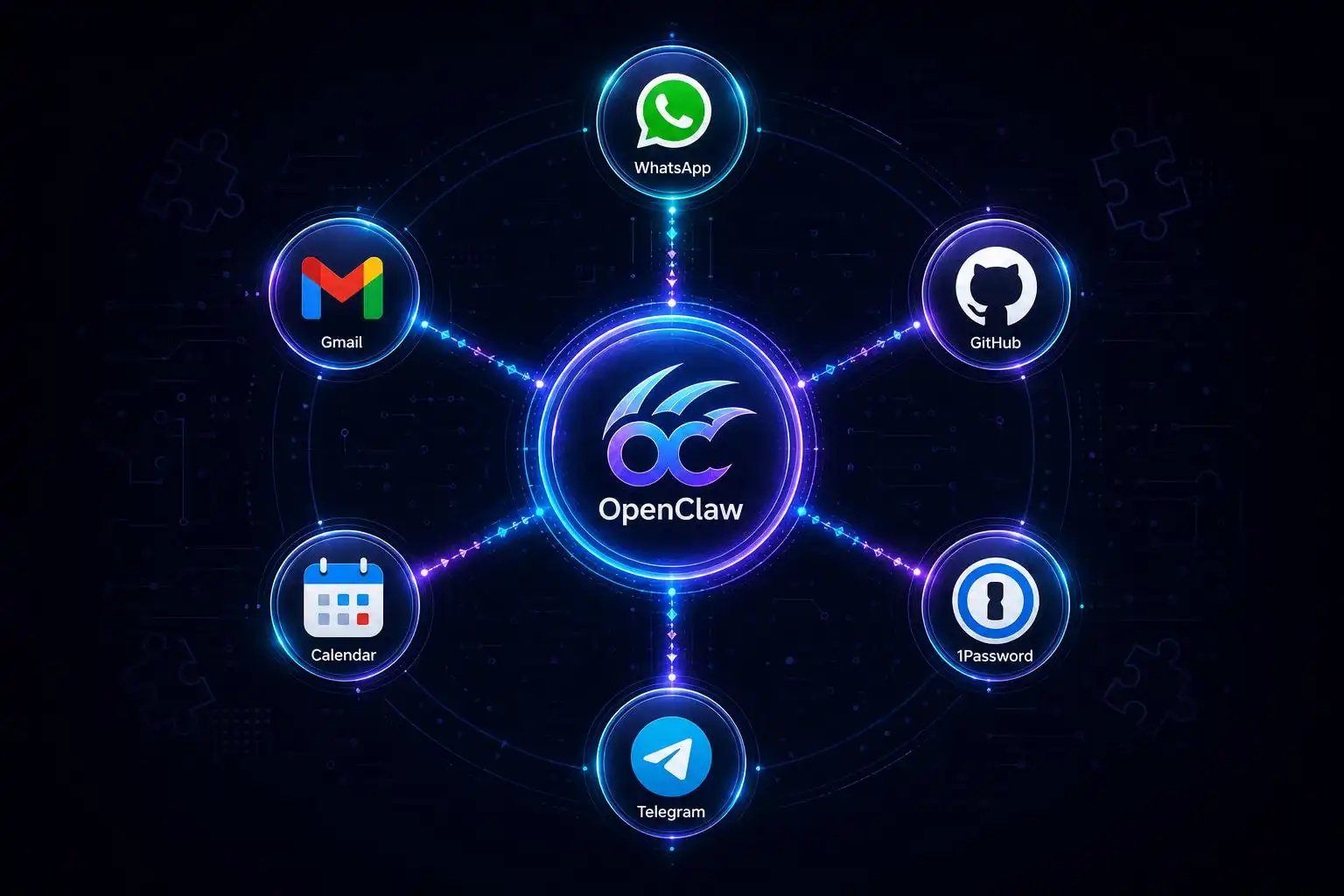
Consider what a single OpenClaw instance is already capable of when fully configured: checking mail, reading Beeper messages, placing orders, sending reminders, creating GitHub issues, discussing bookmarks, handling voice calls, and reading and writing a dedicated 1Password vault — all from one unified assistant running on your own machine.[4] That’s not a feature list from a well-funded startup. That’s what a passionate open-source community has assembled, plugin by plugin.
Turning Ideas Into Reusable Workflows
One of the more creative use cases bubbling up from the community involves using OpenClaw to transform passive content consumption into active, reusable agent skills. As one developer described it: “I’ve been feeding it YouTube videos to turn ‘cool ideas’ into reusable agent skills — repeatable workflows, guardrails, and references.”[3]
This is a genuinely new kind of productivity pattern. Rather than watching a tutorial and hoping you remember the key steps, you feed the content to your local AI agent and let it synthesize a structured, repeatable workflow you can invoke later. It’s the difference between passive learning and active knowledge capture — and it’s the kind of thing that only becomes possible when your AI assistant has persistent memory, local execution, and a rich plugin layer to work with.
The Scale Question: What Happens When You Multiply It?
The community is also wrestling with a bigger, more philosophical question about where all of this leads. One viral observation from early adopter Nathan Clark framed it vividly: “OpenClaw is a 24/7 assistant with access to its own computer. What if there were ten, or a hundred, or a thousand? All running 24/7 in the cloud with access to your files, Gmail, calendar, everything about you… That’s the future, and we’re living it today.”[5]
It’s a striking image. Right now, most people running OpenClaw have a single instance — one tireless digital assistant working on their behalf around the clock. But the architecture doesn’t impose that limit. The same framework that powers one agent can, in principle, power a fleet of them, each specialized for a different domain of your life, all coordinating through shared context and memory.
This is the vision that separates OpenClaw from every other AI tool in the current landscape. It’s not just a smarter chatbot. It’s the foundation for a genuinely agentic computing paradigm — one where the AI doesn’t wait for you to ask questions, but proactively manages your digital world on your behalf.
Privacy, Local Execution, and Why It Matters
Of course, the idea of an AI agent with access to “everything about you” raises legitimate questions — questions I’ve explored at length in previous articles. But it’s worth reiterating the core privacy advantage that OpenClaw’s local-first architecture provides.
When your AI assistant runs on your own hardware, your data never has to leave your machine. Your emails, your files, your calendar entries, your messages — they’re processed locally, by a model you control, under rules you set. That’s a fundamentally different privacy posture than handing all of that data to a cloud service, regardless of how trustworthy that service claims to be.
The plugin ecosystem amplifies this advantage. When you connect OpenClaw to a service like 1Password or your email client, the connection is mediated by your local instance. The data flows through your machine, not through a third-party server. For anyone who has ever felt uncomfortable with how much their AI assistant “knows” about them, this architecture offers a meaningful alternative.
What’s Next: Mobile, Momentum, and the Road Ahead
OpenClaw’s trajectory shows no signs of slowing. The project recently hit a major milestone with the launch of native Android and iOS apps, bringing the local AI agent experience to mobile for the first time.[5] That’s a significant expansion of the platform’s reach, and it opens up entirely new categories of use cases — mobile-first workflows, on-the-go task execution, and seamless handoffs between desktop and phone.
The plugin ecosystem will be the engine that powers all of it. As more developers build connectors for more tools and services, OpenClaw’s capabilities will compound. Each new plugin makes the assistant more useful for more people, which attracts more developers, which produces more plugins. It’s a flywheel that open-source projects, at their best, execute better than anyone.
For anyone who has been watching OpenClaw from the sidelines, waiting for the right moment to dive in: that moment is now. The ecosystem is mature enough to be genuinely useful, the community is active and welcoming, and the plugin library is growing fast enough that whatever tool or workflow you care about most is likely either already supported or coming soon.
The age of the personal AI agent is here. And it’s open source.
References
- OpenClaw Review: The AI Assistant Taking the World by Storm – Unite.AI — https://www.unite.ai/openclaw-review
- OpenClaw — Open-Source AI Assistant — https://openclaw.ai/
- OpenClaw — Open-Source AI Assistant — http://www.openclaw.ai
- OpenClaw — Open-Source AI Assistant — http://openclaw.ai


Leave a Reply
You must be logged in to post a comment.