
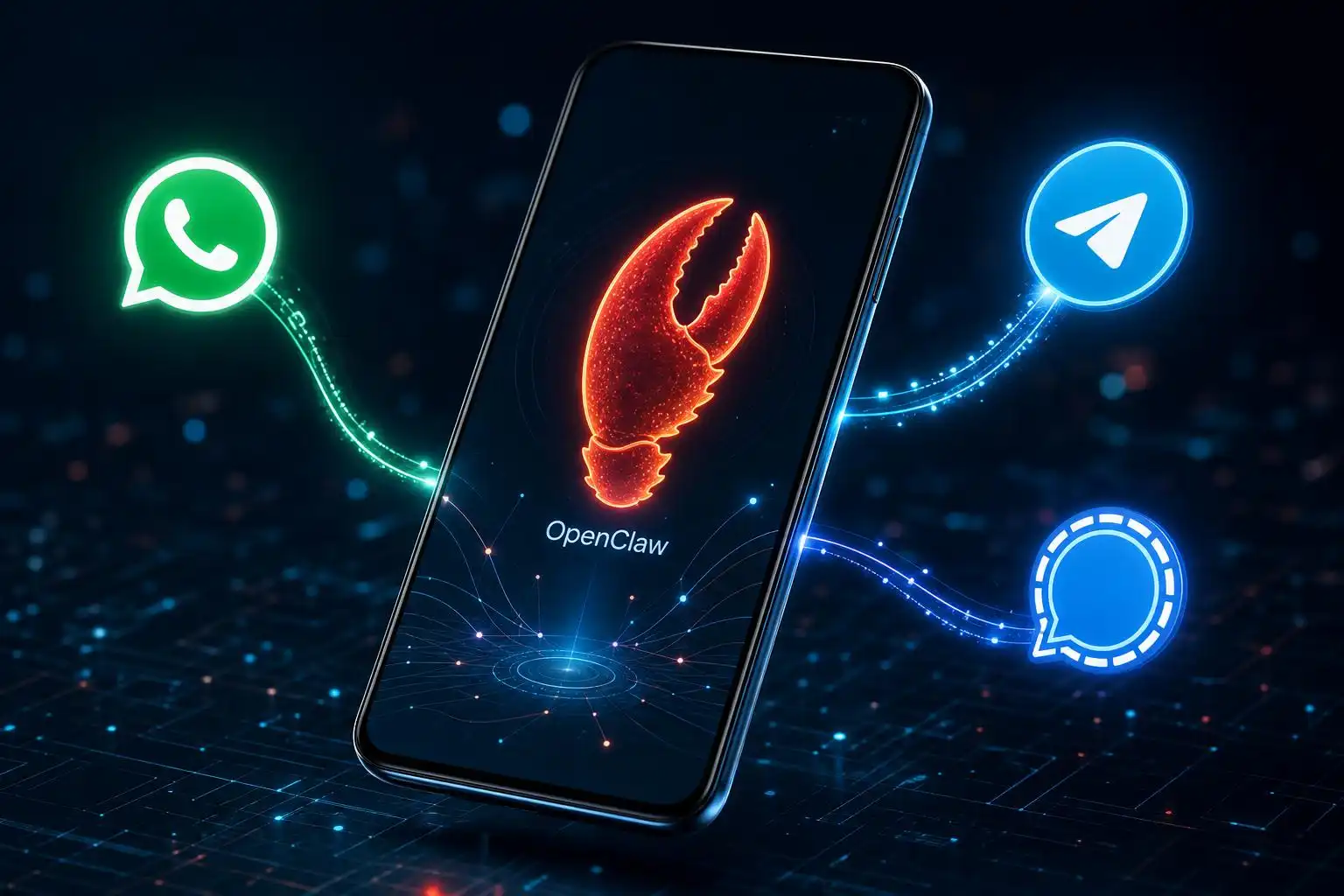

It’s been a landmark few weeks for OpenClaw. The open-source AI agent that took the internet by storm earlier this year has just crossed a threshold that many in the community have been eagerly anticipating: it’s now officially available as a native app on both Android and iOS.[1] And if you thought people were getting creative with OpenClaw before, just wait until you see what they’re doing with it now that it fits in their pocket.
From Desktop to Pocket: The Mobile Moment
For months, OpenClaw’s power was largely tethered to the home server or desktop setup. You could reach it through messaging platforms — WhatsApp, Telegram, Signal, Discord, and more — but the experience of managing, configuring, and interacting with your agents was decidedly more technical than most mainstream users were comfortable with. The new iOS and Android apps change that calculus significantly.
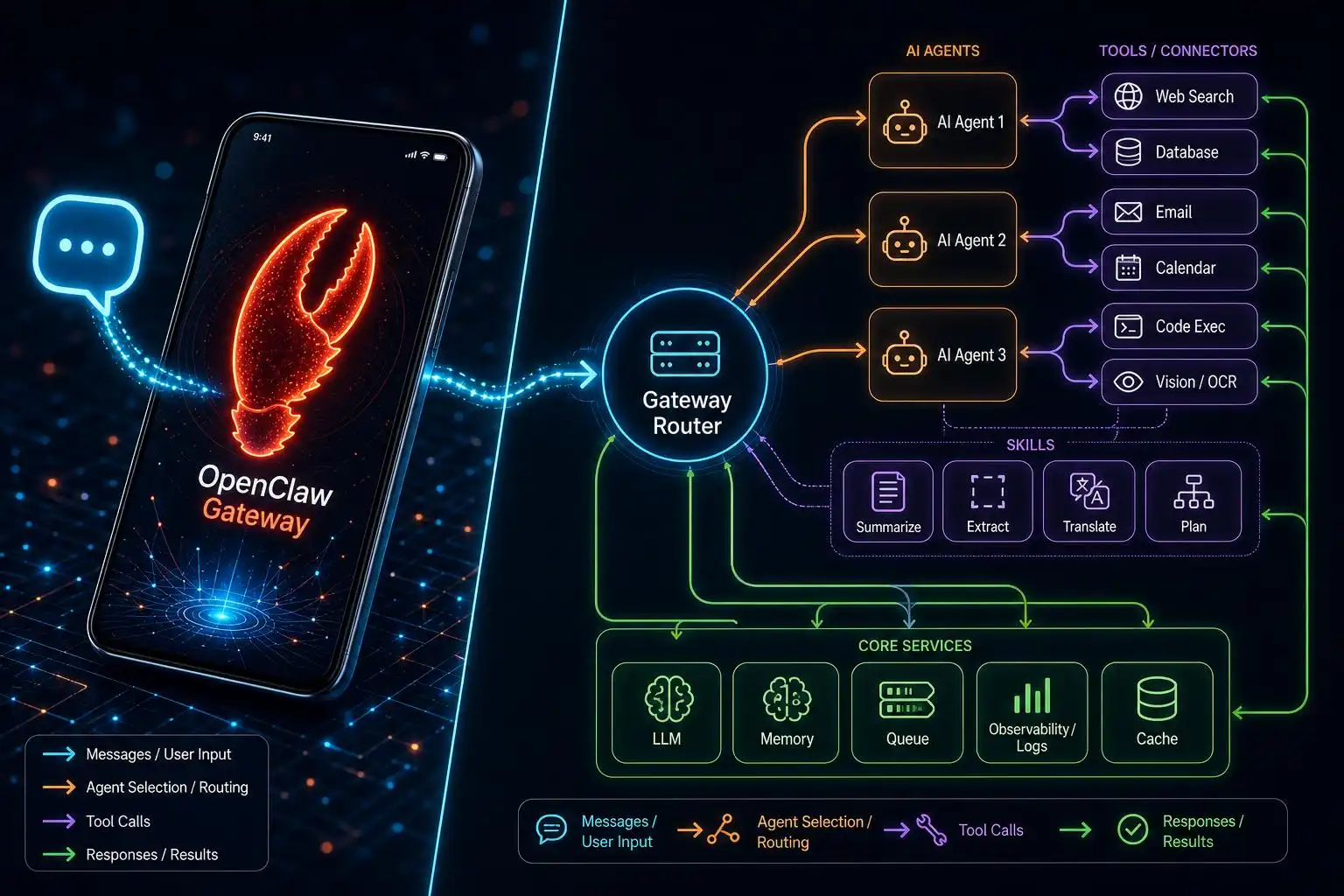
The key to how it works is the OpenClaw Gateway — a routing layer that sits between your phone and the AI agents you’ve configured, connecting your requests to the tools and skills those agents use to get things done.[1] Think of it as the intelligent switchboard that makes your pocket-sized AI assistant actually useful. When you send a message from your phone, the Gateway handles routing, authentication, and delivery — all while keeping your data flowing through infrastructure you control.
This is a genuinely big deal. One of OpenClaw’s core promises has always been local-first, privacy-respecting AI. The Gateway architecture means that even with a mobile app in the mix, you’re not surrendering your data to a centralized cloud provider the way you would with a typical AI assistant app. Your agents, your rules, your data.
What People Are Actually Doing With It
Here’s where things get interesting — and a little wild.
Content creator and startup founder Ben Guez has become something of a poster child for creative OpenClaw use cases. He’s using the open-source AI agent to track World Cup match results in real time, but that’s almost the boring part of his setup.[2] Guez is also, yes, using OpenClaw to help him navigate the world of dating. “I think it’s crazy, like the potential is insane right now,” he told TechCrunch.[2]
And he’s not alone. People are building agents for scheduling, research, personal finance tracking, social media management, and now, apparently, romance. The community’s creativity has always been one of OpenClaw’s greatest assets, and mobile access is pouring fuel on that fire.
It’s worth noting that not everything in OpenClaw’s rise has been entirely above board. The MoltBook spectacle — a viral moment that significantly boosted OpenClaw’s profile — was later revealed to have been partially the work of humans impersonating agents, a piece of effective theater that doubled as marketing, whatever its credibility cost the project.[1] OpenClaw’s community has had to reckon with that, but the genuine utility of the platform has largely carried the conversation forward.
Under the Hood: How the Agent Loop Works
For the more technically curious, it’s worth understanding what’s actually happening when you send a message to your OpenClaw agent from your phone. The architecture is built around what the project calls an agent loop — the complete “real” run of an agent from intake to reply.[5]
Here’s how it flows: when a message arrives, the agent validates parameters, resolves the session, persists session metadata, and immediately returns a run ID and acceptance timestamp. From there, the loop handles context assembly, model inference, tool execution, streaming replies, and persistence — all in a single serialized run per session.[5] Lifecycle and stream events are emitted as the model thinks, calls tools, and streams output, with timeouts enforced to abort runaway processes.
It’s an elegant architecture that explains why OpenClaw feels responsive even when agents are doing complex multi-step work in the background. The loop is designed to keep session state consistent throughout, which matters a lot when your agent is juggling tasks like tracking sports scores, drafting messages, and managing your calendar simultaneously.
For those setting up the personal assistant configuration — a dedicated WhatsApp number that behaves like an always-on AI assistant — the OpenClaw documentation notes that the default agent workspace lives at ~/.openclaw/workspace, which is auto-created on first run along with starter files like AGENTS.md, SOUL.md, TOOLS.md, IDENTITY.md, and others.[3] The modular file structure gives power users fine-grained control over how their agent behaves, what it remembers, and how it presents itself.
What the Mobile Launch Means for OpenClaw’s Trajectory
I’ve been covering OpenClaw since its explosive early days, and the mobile launch feels like a genuine inflection point. Here’s why: every previous milestone — the viral demos, the enterprise interest, the Microsoft Scout comparison, the global expansion into China and beyond — was still largely a story about enthusiasts and early adopters. People who were willing to self-host, configure YAML files, and troubleshoot Docker containers.
A native mobile app lowers that barrier dramatically. Suddenly, OpenClaw isn’t just for the technically adventurous. It’s for anyone who wants a personal AI assistant that they actually own and control, accessible from the device they use most.
The recent v2026.6.11 release also signals that the core team is investing heavily in reliability — with improvements to channel delivery, provider and model recovery, session and memory continuity, and a new Slack router relay mode, among many other fixes.[4] This is the kind of unglamorous but essential work that separates a viral project from a durable platform.
The Bigger Picture
What strikes me most about this moment is how it reframes the question of what a personal AI assistant can be. The dominant narrative in AI has been about centralized services — ChatGPT, Gemini, Claude — where the intelligence lives in someone else’s data center and your conversations are, at minimum, training fodder for the next model iteration.
OpenClaw’s mobile launch is a direct challenge to that model. It says: what if the AI assistant in your pocket was actually yours? What if the gateway routing your requests ran on hardware you control? What if the agents you built reflected your values, your preferences, your workflows — not the defaults of a product team in San Francisco?
That’s a compelling proposition, and it’s one that’s resonating with a surprisingly broad audience — from privacy-conscious professionals to sports fans to, yes, people trying to navigate their dating lives with a little algorithmic assistance.
The open-source AI agent revolution is officially mobile. Whatever comes next, it’s going to be interesting to watch from the front row.
References
- OpenClaw is finally available on Android and iOS — TechCrunch — https://techcrunch.com/2026/06/30/openclaw-is-finally-available-on-android-and-ios
- Yep, we’re using OpenClaw to date now — TechCrunch — https://techcrunch.com/2026/07/02/yep-were-using-openclaw-to-date-now
- व्यक्तिगत सहायक सेटअप — OpenClaw Docs — https://docs.openclaw.ai/hi/start/openclaw
- v2026.6.11 — OpenClaw Docs — https://docs.openclaw.ai/releases/2026.6.11
- एजेंट लूप — OpenClaw Docs — https://docs.openclaw.ai/hi/concepts/agent-loop

Leave a Reply
You must be logged in to post a comment.