
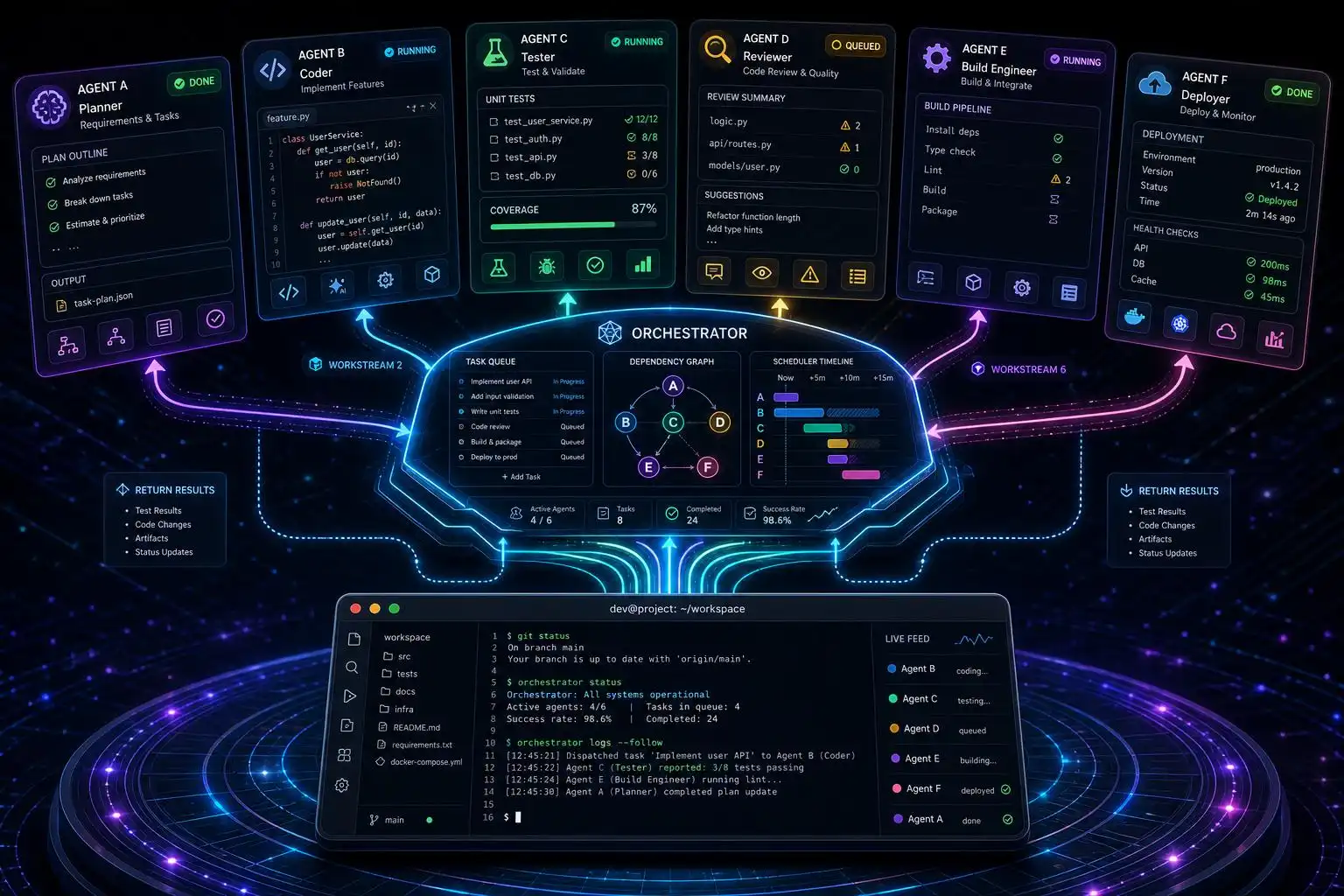

The headline in 2026 is simple: the model matters less than the harness around it. Frontier capabilities have largely converged; your day-to-day experience now rides on each agent’s orchestration, guardrails, and integrations—so pick by operating mode, not brand.[1] Codex alone serves more than 5 million weekly users at OpenAI, with 85% of the company using it—proof the question is no longer “whether” to use an agent, but “which one, for what.”[1]
Choose by operating model, not logo
If you need a quick routing rule, this mapping has held up in real projects:
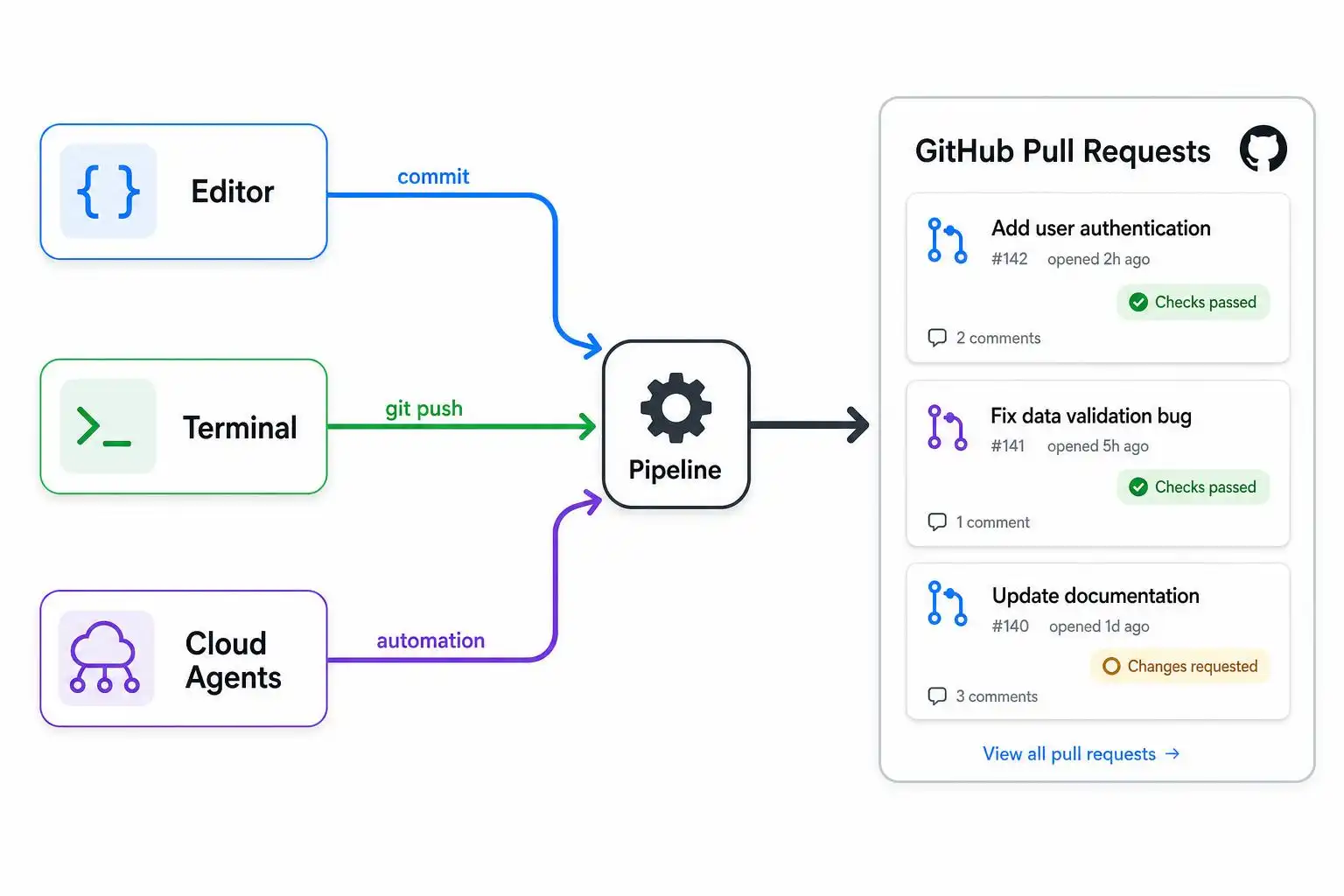
- Claude Code for terminal-first, long refactors where a huge context window keeps everything coherent.[3]
- OpenAI Codex when you want background/async throughput and pull requests to land without babysitting.[3]
- GitHub Copilot agent mode for teams who already live in GitHub issues, checks, and PRs.[3]
- Cursor for editor-first control with fast iterate-and-verify loops.[3]
- Devin-class tools when you can define a backlog task cleanly and are ready to review a full PR at the end.[3]
Why this split? Harness trade-offs. Claude Code ships the deepest hook surface (30+ events) and Dynamic Workflows, but it’s also the heaviest token spender and its Pro tier is still constrained.[1] Copilot’s cloud agent can turn an issue into a PR inside Actions, yet it’s tuned for well-scoped tasks rather than sweeping refactors.[1] Cursor’s Composer pushes strong task quality at low per-task cost, but usage-based billing trips up newcomers.[1] Codex runs broadly across CLI, desktop, mobile, and Chrome, with async cloud runs—but watch for mid-stream 5‑hour usage-limit cuts.[1] And for autonomy, Devin and the cloud agents (Codex Cloud, Cursor Cloud Agents, Copilot’s cloud mode) all run jobs asynchronously and open PRs, while Claude Code added Routines for cron and GitHub triggers.[1]
One data point on depth: Claude Code’s 1M‑token window lets it operate across very large repos without a bespoke index; Jarred Sumner used Dynamic Workflows to port 750k lines from Zig to Rust in 11 days with a 99.8% pass rate—exactly the kind of “stay in one refactor for days” job where terminal-first agents shine.[3]
Pricing, limits, and where the meter bites
Seat pricing is converging, but the gotchas differ:
- Claude Code Pro runs $20/person monthly (teams $25/seat), with strengths in parallel execution and Worktree support.[4]
- Cursor is $20 personal, $40 team—best-in-class IDE integration.[4]
- Copilot is $10 personal, $19 team—excellent GitHub Flow fit.[4]
- Codex: $20 Plus, $200 Pro, with Codex Cloud in the bundle.[4]
Costs spike during long autonomous runs on Cursor, Copilot, and Devin due to metered billing; Claude Code tends to be the most predictable for heavy use—despite being the hungriest on tokens—because its terminal-first loop keeps scope contained.[3][1] Google’s Antigravity imposes harsh rate limits even on high tiers, and the once‑free Gemini CLI ended individual free access on June 18, 2026 as it transitioned to Antigravity CLI—now roughly ~20 free requests/day unless you’re on paid plans.[1][5]
Consolidation you should factor into 2026 plans
This year compressed the CLI/agent landscape fast. OpenAI bought Windsurf for $3B in March. Google replaced Gemini CLI with a closed-source Antigravity CLI (“agy”) and slashed the free tier. Four days after its IPO, SpaceX—fresh off merging with xAI—announced a $60B all‑stock deal to acquire Cursor, bringing Grok models, Colossus compute, and Cursor’s 4M developers under one roof. The deal is expected to close in Q3 2026; until then, Cursor operates independently and still routes Claude, GPT‑5.5, and Gemini models.[5]
CLI workflows that hold up day to day
For terminal-native developers, a few concrete patterns:
- Cursor CLI mirrors the IDE agent (memory, MCP connections) right in your shell. Install per Cursor’s docs, then run the agent inside a repo:
# Inside your project repo
cursor-agent

# Plan/Ask modes are supported; for long jobs hand off to cloud with '&'
# Example: run a plan in the cloud
cursor-agent plan "Refactor auth to JWT, add tests" &
This is the same harness as the IDE, and the “&” prefix hands the task to Cursor Cloud so you can keep working while it opens a PR later.[5]
- Git worktrees pair well with Claude Code’s refactor loop. Keep main clean while iterating on a massive change:
# Prepare an isolated worktree for the agent’s long refactor branch
git fetch origin
git worktree add ../auth-refactor origin/main
cd ../auth-refactor
# Start your Claude Code session from here; commit in small, reviewable slices
Claude Code’s Worktree support and parallel execution make this safer for week‑long changes.[4]
- Async automation via cloud agents. Codex Cloud, Cursor Cloud Agents, and Copilot’s cloud agent all run jobs off your laptop and open PRs when done. For scheduled or event-driven runs (cron, GitHub triggers), Claude Code added Routines so you can kick off tasks consistently without sitting at the keyboard.[1]
A minimal GitHub Actions skeleton for a background agent task (fill in your chosen agent client/action):
name: Nightly Agent Job
on:
  schedule:
    - cron: '0 3 * * *'  # 3 AM UTC
  workflow_dispatch: {}

jobs:
  agent-run:
    runs-on: ubuntu-latest
    steps:
      - uses: actions/checkout@v4
      - name: Run agent task in cloud
        uses: your-org/agent-action@v1  # e.g., Codex/Copilot/your proxy
        with:
          task: "Tighten rate limiting and add integration tests"
          repo: ${{ github.repository }}
          branch: nightly/agent-task
Routing, MCP, and observability: the glue layer
If you’re standardizing across teams, don’t sleep on the ecosystem that turns one agent into a multi‑agent switchboard. Popular routers and proxies connect Claude Code, Codex, Cursor, Copilot, and more to a wide spread of model providers with fallbacks, or even make Copilot present as an OpenAI/Anthropic‑compatible API. Examples: claude-code-router, 9router, zen‑mcp‑server, copilot‑api, and Claude/OpenAI proxy bridges. For visibility, ccglass surfaces exactly what your agent sends to the model, and there are multiple real‑time dashboards and OTEL integrations (claude-code-otel, claude-code-ui) so you can track cost and performance. Skills like napkin add per‑repo scratchpad memory; Semia audits skills for security before they go into workflows. These are the kinds of guardrails and glue that make multi‑agent setups viable beyond a single laptop.[2]
A practical split I recommend this quarter
- Depth work (days-long refactors): Claude Code in a dedicated Git worktree; set budget and commit cadence; use Routines for recurring tasks.[3][1][4]
- Async throughput (nightly jobs, flaky runs): Codex Cloud or Copilot’s cloud agent; keep tasks tight to avoid review debt.[3][1]
- Day-to-day coding: Cursor in-editor; spill over to Cursor CLI for long, cloud-handed tasks when you don’t want to block your machine.[3][5]
- Org-level glue: standardize on a router/proxy and add ccglass + OTEL so teams can see token burn and drift in real time.[2]
The best pick is the one that fits your workflow without adding more review work than it saves. Keep autonomy bounded, keep tasks thin, and let the harness do the heavy lifting.[3]
Key takeaways
- Models have converged; harness design now decides reliability, cost, and fit.[1]
- Route by operating mode: Claude for depth, Codex for async, Copilot for GitHub flow, Cursor for editor control.[3]
- Pricing is similar, but limits differ; metered cloud runs can spike costs fast.[3][4]
- Consolidation reshaped the field (Windsurf, Gemini CLI→Antigravity, Cursor deal); plan for continuity layers.[5]
- Use routers, observability, and vetted skills to run multi‑agent setups safely at org scale.[2]
References
- Best AI Coding Agents in 2026: Harness, Cost, and … – Firecrawl — https://www.firecrawl.dev/blog/best-ai-coding-agents
- The Ultimate Claude Code Resource List 2026: Agents, Skills … — https://www.scriptbyai.com/claude-code-resource-list
- The best AI coding agents in 2026, compared – daily.dev — https://daily.dev/blog/best-ai-coding-agents-comparison
- Claude Code料金完全ガイド|日本円で全プラン比較【2026年7月】 | 株式会社Uravation — https://uravation.com/media/claude-code-pricing-complete-2026
- Top 5 CLI coding agents in 2026 — https://pinggy.io/blog/top_cli_based_ai_coding_agents


Leave a Reply