
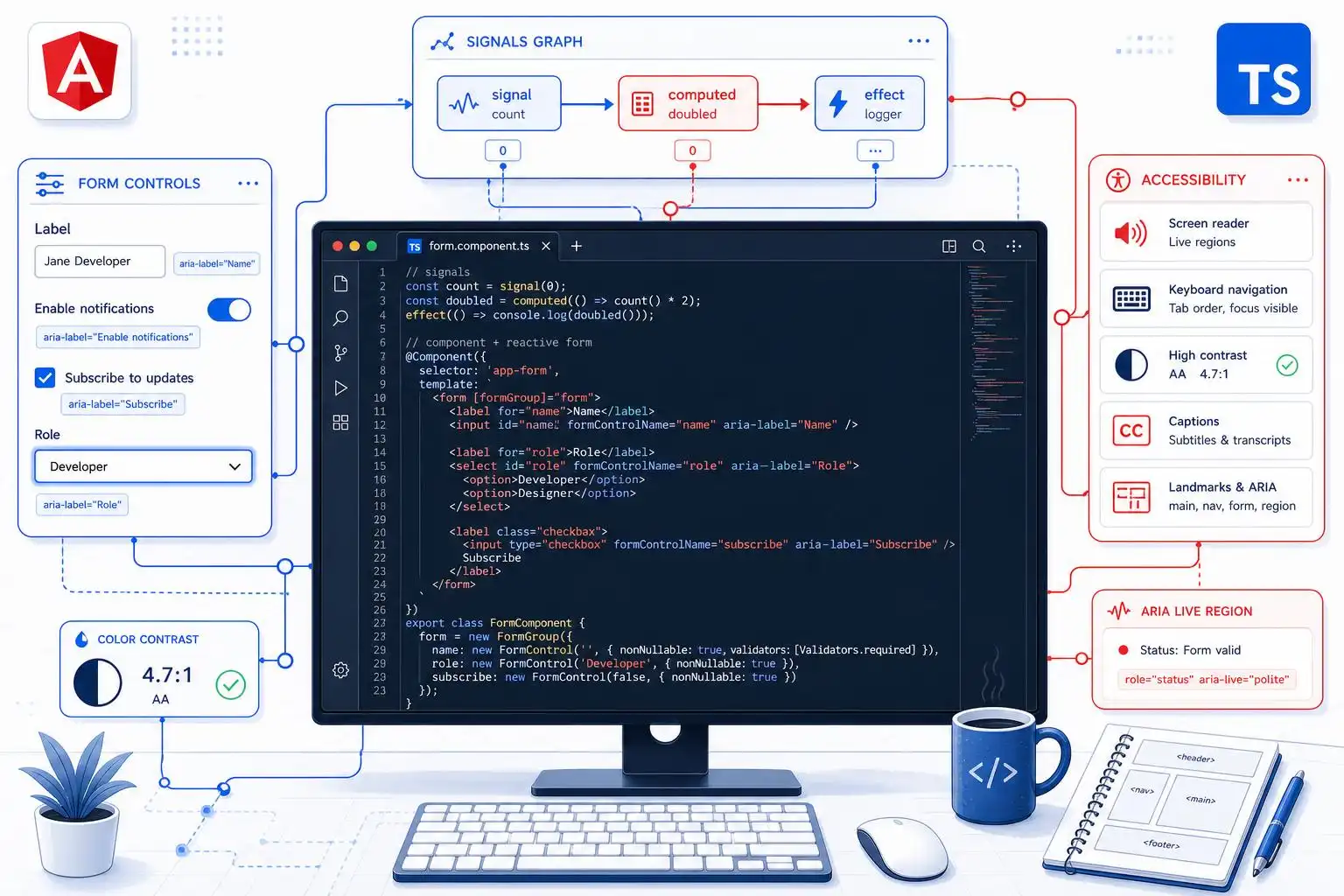

Angular’s recent releases have been steadily moving the framework away from “component class plus RxJS everywhere” toward a cleaner reactive model. With Angular v22, that shift is no longer theoretical. The official release announcement highlights three major features reaching stable status: Signal Forms, Angular Aria, and asynchronous testing support [[2]](https://blog.angular.dev/announcing-angular-v22-c52bb83a4664). That combination says a lot about where Angular is heading: reactive by default, accessibility-aware, and easier to test.
As someone who spends a lot of time in Angular, TypeScript, and application architecture, I think v22 is less about a single flashy feature and more about Angular’s long-term direction becoming very obvious. The framework is becoming more explicit, more composable, and more friendly to large teams that need predictable patterns.
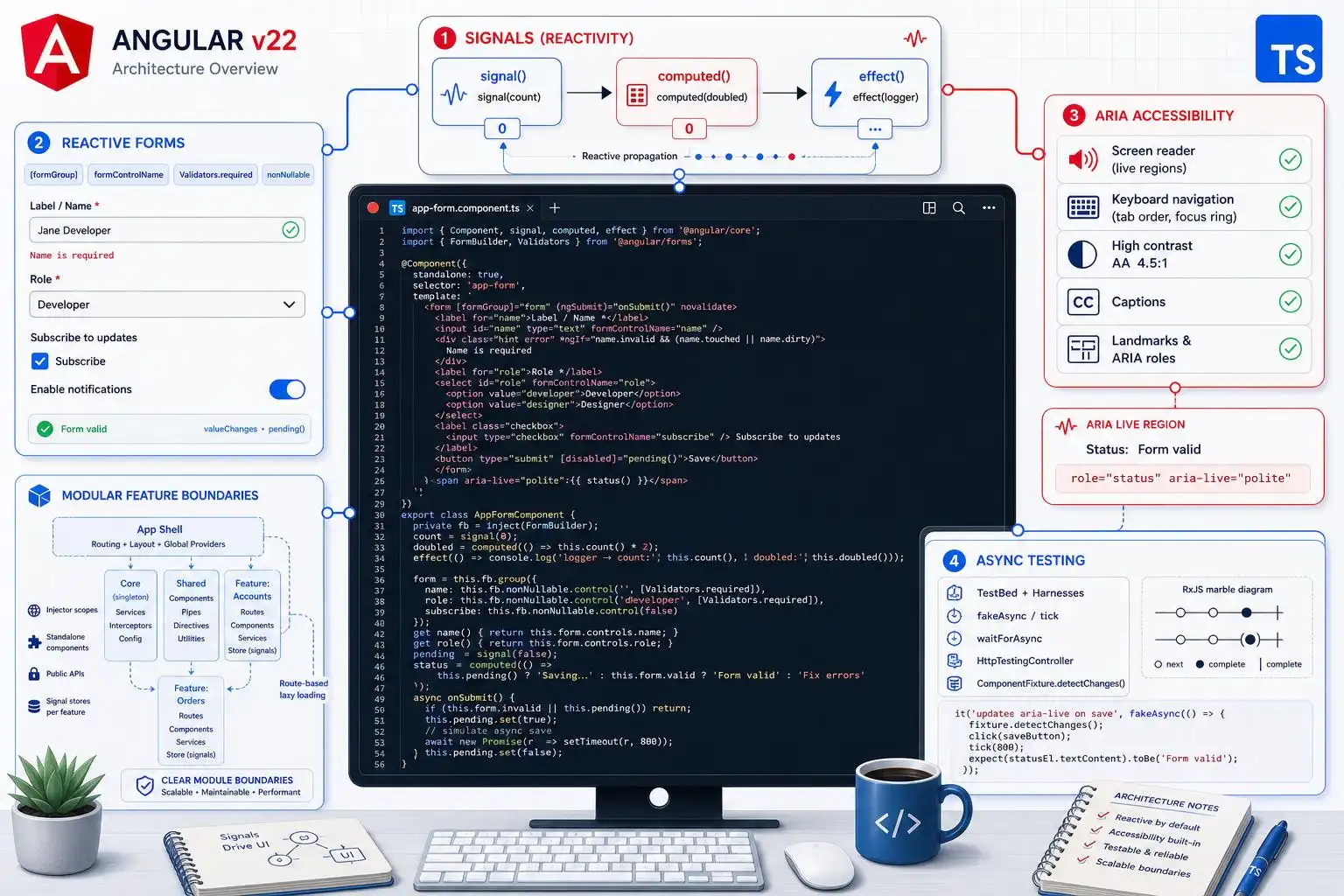
Signals are no longer “the new thing”
Signals have been part of the Angular conversation for a while now, but v22 makes the signal-first direction feel much more concrete. The community is already describing this release as a major step into a modern reactive runtime, especially for larger applications where state management patterns can easily become tangled [[3]](https://medium.com/@onkar20/angular-22-is-the-most-important-angular-release-in-years-4d5ce3172fb7).
The important part is not that signals replace every other reactive tool overnight. RxJS is still valuable, especially for event streams, cancellation, WebSocket flows, and complex async composition. But signals give Angular developers a simpler primitive for local state, derived values, and template-friendly reactivity.
In practice, that means many components can now be written with less ceremony:
readonly count = signal(0);
readonly doubled = computed(() => this.count() * 2);

increment() {
  this.count.update(value => value + 1);
}
That may look small, but the ergonomics matter. A component that has five or six pieces of UI state no longer needs to default to multiple subjects, manual subscriptions, or defensive cleanup logic. Signals are synchronous, readable, and naturally connected to Angular’s change detection model.
Signal Forms could be the most practical v22 feature
Forms are one of the places where Angular has historically been powerful but also verbose. Reactive Forms gave us structure, validation, and testability, but they often came with boilerplate and a mental model that felt separate from the rest of the component.
That is why Signal Forms reaching stable status in v22 is such a meaningful milestone [[2]](https://blog.angular.dev/announcing-angular-v22-c52bb83a4664). Forms are not an edge case. They are central to dashboards, admin panels, checkout flows, internal tools, onboarding screens, and nearly every business application.
The promise of Signal Forms is that form state can participate more naturally in Angular’s signal-based reactivity. Instead of constantly bridging between form controls, subscriptions, component state, and template conditions, developers get a more direct way to model the state of user input.
The benefit is especially clear when a form drives other UI:
- Showing conditional sections based on selected values
- Computing derived summaries before submit
- Enabling or disabling actions from validation state
- Reflecting server-side validation results
- Building multi-step workflows without scattering state everywhere
For teams already adopting signals, this is the piece that helps forms stop feeling like a parallel universe inside Angular.
Angular Aria being stable is a big deal
Accessibility tooling often gets treated as something developers add at the end of a feature. That is backwards. Good accessibility needs to be part of component design from the beginning.
Angular Aria reaching stable status in v22 is important because it suggests Angular is taking accessibility primitives seriously as part of the core developer experience [[2]](https://blog.angular.dev/announcing-angular-v22-c52bb83a4664). This matters for custom components in particular. It is one thing to use a native <button> correctly; it is another to build a custom menu, combobox, tabs component, dialog, or listbox that behaves properly for keyboard and assistive technology users.
My advice: do not treat Angular Aria as only an accessibility feature. Treat it as a correctness feature. A component that cannot be used predictably with a keyboard is not finished. A component that communicates the wrong state to assistive technology is not finished. Stable accessibility primitives make it easier for teams to build reusable UI without rediscovering ARIA behavior from scratch every sprint.
Async testing stability helps modern Angular teams
Angular applications are increasingly built around asynchronous behavior: route-level data loading, deferred UI, server calls, hydration, background refresh, and user interactions that update state in stages. So it is encouraging to see asynchronous testing support called out alongside Signal Forms and Angular Aria in the v22 announcement [[2]](https://blog.angular.dev/announcing-angular-v22-c52bb83a4664).
Testing Angular well has always required understanding timing. The more Angular moves toward fine-grained reactivity and modern rendering patterns, the more important it becomes for tests to express async expectations clearly.
The goal should be tests that read like user behavior:
it('shows the saved message after submit', async () => {
  await user.fillIn(screen.getByLabelText('Name'), 'Ada');
  await user.click(screen.getByRole('button', { name: 'Save' }));

  expect(await screen.findByText('Profile saved')).toBeVisible();
});
Whether your project uses Angular’s default testing stack, Vitest, Testing Library, or another setup, the direction is the same: test observable behavior, not implementation details. Stable async testing support helps Angular continue moving in that direction.
The real-world signal questions are starting to show up
One thing I always watch after a framework feature becomes mainstream is the type of questions developers start asking. Recent Angular questions on Stack Overflow include signal update confusion, such as why a signal does not appear to update after setting a newly constructed array [[5]](https://stackoverflow.com/questions/tagged/angular?tab=Newest). That kind of question is normal, and it is actually a sign that signals are being used in real applications rather than just demos.
There are a few practical rules that help avoid most signal-related surprises:
- Use
setwhen replacing state entirely. - Use
updatewhen deriving the next state from the previous state. - Avoid mutating arrays and objects in place.
- Keep computed signals pure.
- Use effects sparingly, usually for synchronization with the outside world.
For example, this is usually the safer pattern for adding an item:
readonly items = signal<Item[]>([]);

addItem(item: Item) {
  this.items.update(items => [...items, item]);
}
And this is the kind of thing I would avoid:
addItem(item: Item) {
  this.items().push(item); // mutation without replacing the signal value
}
The second example mutates the existing array. Even if you later get the UI to update through some other side effect, you have made the state harder to reason about. With signals, predictable reference replacement is your friend.
Native Federation and feature lifecycles are part of the bigger story
The Angular ecosystem is also continuing to mature around application architecture. Community updates are tracking topics like services, Native Federation, and Angular feature lifecycles [[1]](https://medium.com/ng-news/ng-news-26-13-service-native-federation-angular-feature-lifecycles-843fccf99266). That matters because Angular is not just a component framework; it is often used for large products that live for years.
Native Federation is especially relevant for organizations splitting large frontends into independently deployed pieces. But federation also raises architectural questions: Where should shared state live? Which services are truly global? How do teams version shared UI and shared business logic? How do you avoid turning a distributed frontend into a distributed mess?
This is where Angular’s newer direction can help. Standalone APIs, signals, clearer dependency injection patterns, and more explicit feature lifecycles all encourage teams to define boundaries more carefully. The technology does not solve architecture by itself, but it gives us better tools.
What about older Angular applications?
Not every team is starting from Angular 21 or 22. Some are still sitting on much older versions, and the upgrade question can be intimidating. One recent article discusses the challenge of moving from Angular 8 to Angular 19 and questions the traditional “one major version at a time” approach [[4]](https://medium.com/@devloopd.io/angular-8-to-19-skip-the-incremental-dance-c25a40652fe0).
I would still be cautious here. Angular’s official update path exists for a reason, and the safest migration strategy depends heavily on your dependencies, test coverage, build system, TypeScript version, Angular Material usage, and custom webpack or builder configuration.
That said, the broader point is valid: teams need a migration strategy, not just a command. If you are modernizing an older Angular app, I would think in phases:
- Stabilize the current app. Make sure it builds cleanly and has at least basic test coverage around critical flows.
- Remove abandoned dependencies. Old packages are often the real blocker.
- Upgrade Angular and TypeScript deliberately. Follow the official guidance, but plan the work as a project.
- Adopt standalone components where it makes sense. Do not rewrite everything just to feel modern.
- Introduce signals in new or refactored features. Avoid a risky big-bang state rewrite.
- Modernize forms and accessibility patterns as part of feature work. Signal Forms and Angular Aria are easier to justify when tied to real user-facing improvements.
My practical v22 adoption checklist
If your team is already on a recent Angular version, I would not wait too long to start exploring v22. You do not need to convert the entire codebase immediately. Instead, focus on high-value adoption points.
- Use signals for local component state instead of introducing subjects by default.
- Evaluate Signal Forms on a contained form before adopting it everywhere.
- Review custom components for accessibility gaps and look at where Angular Aria can help.
- Improve async tests around user-visible behavior and loading states.
- Document signal conventions so the team agrees on mutation, computed values, and effects.
- Keep RxJS where it shines, especially for streams and async orchestration.
The best Angular codebases over the next few years will not be the ones that blindly replace every pattern with signals. They will be the ones that use signals, RxJS, forms, dependency injection, and accessibility primitives in the right places.
Final thoughts
Angular v22 feels like a consolidation release in the best possible way. Signal Forms, Angular Aria, and async testing stability are not isolated features; they support the same overall goal: making Angular applications easier to reason about at scale.
For developers, the message is clear. Learn signals deeply. Treat accessibility as core engineering work. Write tests that reflect real asynchronous behavior. And if you are maintaining an older Angular application, start planning your modernization path now rather than waiting until the gap becomes painful.
Angular’s signal-first era is not about chasing syntax trends. It is about giving developers a more direct model for building interactive, maintainable web applications. That is a direction worth paying attention to.

Leave a Reply