
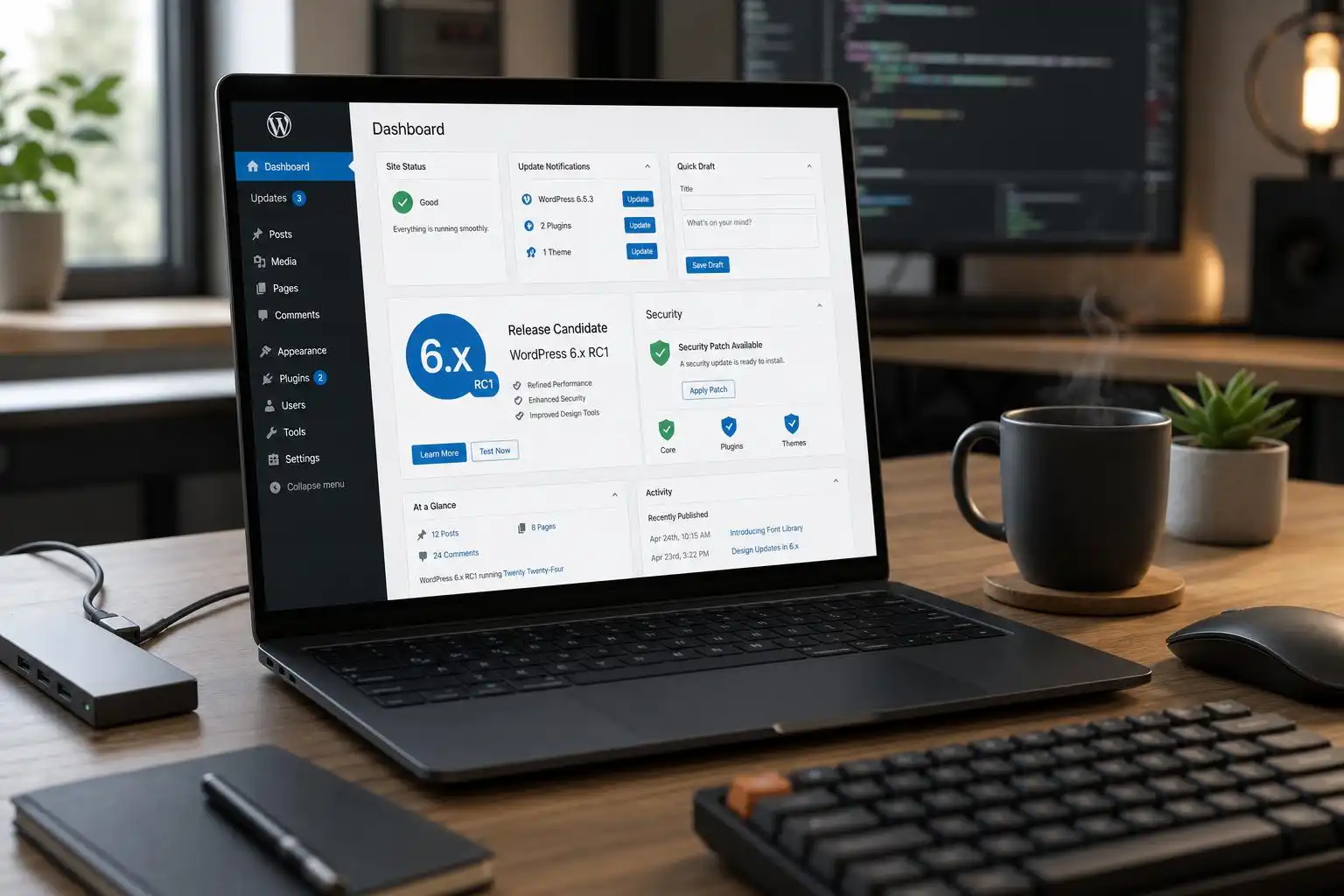

WordPress 7.1 is at the finish line: RC4 arrived on August 19, 2026, with the final release scheduled for the same day and more than 26 fixes since RC3, including 8 editor updates and 18 core updates.[1] That is normally the point where I tell clients, “We are not redesigning anything this week.” But this cycle has another wrinkle: the 7.1 release candidate window follows a pair of security releases that should change how seriously teams treat update rehearsals.
WordPress 7.0.3 shipped on August 6 with a dozen security fixes, and 7.1 RC2 included the applicable patches.[6] Then WordPress 7.0.4 followed as a security release for an authenticated Author+ remote code execution issue involving malicious file uploads on sites using Imagick and Ghostscript, with fixes backported as far as the 4.7 branch and included in the 7.1 release candidate line.[4]
That combination makes 7.1 more than a feature release. It is also a useful audit point: if your production sites missed either automatic update, your deployment process needs attention before the next critical advisory arrives.
What changed in the 7.1 candidate cycle
RC1 already contained more than 145 updates and fixes since Beta 4, split between 57 editor changes and 88 core changes.[5] By RC4, the remaining changes are the kind I watch closely as a developer: not flashy features, but polish, compatibility work, and regressions found late enough that they probably touched real-world edge cases.[1]
The editor side is especially active. Gutenberg 23.8 was released on August 19 alongside the RC4 news, while the 7.1 release itself pulls features from Gutenberg 22.7 through 23.6, with later Gutenberg fixes backported into the release branches.[1][4] In practical terms, that means plugin authors should not only test against “WordPress 7.1” as a version number. They should test block behavior, style output, layout controls, and editor regressions against the release candidate and the current Gutenberg plugin where relevant.
The August developer update called out several changes worth testing in themes and block-heavy sites: theme.json can opt out of block visibility, custom CSS now outputs after block library styles, Additional CSS no longer duplicates inside Query Loop, calc() accepts unitless zeros, the style engine better preserves important gradient declarations, Latest Posts gained layout and block spacing support, and Cover can restrict allowed video embed providers.[7]
Those sound small until you maintain a client theme with a carefully tuned cascade. The custom CSS output order alone is the kind of change that can fix long-standing specificity headaches on one site and expose fragile assumptions on another.
The security context is the bigger story
The 7.0.3 release included a referenced login screen XSS advisory, CVE-2026-64638 / GHSA-52p2-r8wf-jcrf, and WordPress noted that backports were in progress for eligible branches while reminding site owners that only the latest version is actively supported.[6] Patchstack’s write-up also emphasized the range of fixed issues, including CSS injection, an email confirmation bypass, and SSRF behavior in URL validation reaching link-local address ranges.[2]
The uncomfortable lesson is not just that vulnerabilities exist. It is that discovery is getting faster. Patchstack pointed to recent WordPress Core findings credited to AI-focused security teams, including pwn.ai and Anthropic, and argued that AI-assisted research is compressing the time between disclosure and exploitation.[2]
As someone who manages WordPress stacks for real organizations, that pushes me toward boring but effective controls: automatic minor updates enabled, staging environments that can be refreshed quickly, plugin inventories that are actually current, and a rollback plan that has been tested before a 2 a.m. emergency.
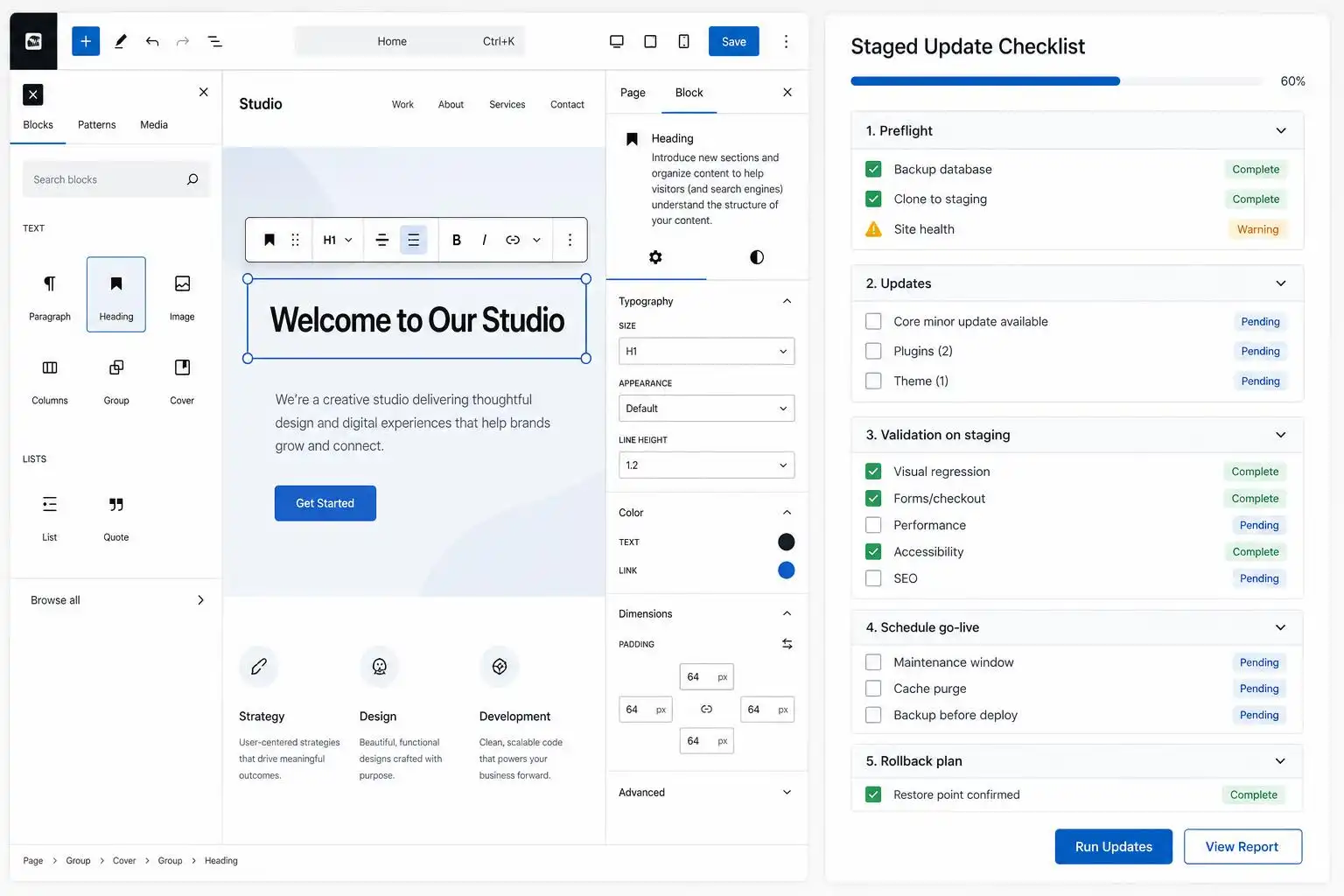
My 7.1 pre-release checklist
Here is the checklist I would run this week for any site I care about:
- Confirm core security status first. Before testing 7.1, make sure production is already on the latest secure 7.0.x release or has received the relevant automatic backports.[4]
- Clone production into staging. Use a real database copy, not a blank demo install, because Query Loop, Navigation, templates, reusable blocks, and custom CSS issues usually depend on actual content.
- Test the Site Editor deliberately. Open templates, template parts, Navigation blocks, Query Loop views, Cover blocks with video, Latest Posts blocks, and any synced patterns that clients edit regularly.
- Review
theme.json. If your theme uses visibility controls, spacing presets, gradients, or custom layout settings, test them against 7.1’s style-engine changes.[7] - Check block plugin compatibility. Stackable 3.20.0, for example, lists WordPress 7.1 compatibility and adds saved patterns plus a faster design library, but it also requires WordPress 6.9 or higher and PHP 7.4 or higher.[8] That is exactly the kind of version matrix you want to verify before production updates.
- Exercise upload workflows. Given the 7.0.4 Imagick/Ghostscript-related file upload issue, test media uploads, PDF/image handling, author-role upload permissions, and any plugin that processes files server-side.[4]
- Run a vulnerability scan. Tools that check core, plugin, and theme versions against known vulnerabilities can catch the forgotten plugin that never shows up in the marketing screenshots.
Plugin and theme developers: test the boring paths
For plugin developers, I would focus less on the happy path and more on “editor state after a user does something weird.” Duplicate WooCommerce products. Edit patterns. Insert blocks inside Query Loop. Open responsive preview in Safari. Switch between the Site Editor and post editor. Save, reload, and confirm attributes survive.
That recommendation is not theoretical. Stackable’s recent 3.20.0 changelog mentions fixes for Safari responsive preview freezes, Yoast SEO analysis highlighting, Widgets screen performance, duplicated WooCommerce products retaining block attributes, and fetch-error handling in the design library.[8] Those are precisely the “it only breaks when an editor does X” problems that release candidates are meant to expose.
Theme developers should pay special attention to CSS ordering. If your theme has relied on Additional CSS loading in a particular position, or if you have been using !important to rescue gradients and spacing from the cascade, 7.1 deserves a visual regression pass.[7]
Site owners: update discipline is now a security feature
I do not love panic-driven updating. But I like unpatched WordPress installs even less.
The safer pattern is simple: let WordPress apply minor security updates automatically, test major releases on staging, keep a short list of business-critical workflows, and make sure someone is responsible for pressing the button when automatic updates do not happen. The recent 7.0.3 and 7.0.4 releases are a reminder that the “we will update next month” posture is increasingly risky, especially when authenticated lower-privilege vulnerabilities can become serious on membership, editorial, LMS, marketplace, or WooCommerce sites.[6][4]
WordPress 7.1 looks like a strong release for the editor and developer APIs, but the best upgrade story is the quiet one: nothing breaks, the security fixes are already in place, and your team knows exactly how the site behaves before production moves.
References
- Make WordPress Core – WordPress Development Updates — https://make.wordpress.org/core
- WordPress 7.0.3 Released: 12 Vulnerabilities Found and Fixed – Patchstack — https://patchstack.com/articles/wordpress-7-0-3-released-12-vulnerabilities-found-and-fixed
- Planet — WordPress.org — https://planet.wordpress.org
- WordPress 7.1 Release Candidate 1 – WordPress News — https://wordpress.org/news/2026/08/wordpress-7-1-release-candidate-1
- WordPress 7.0.3 release – WordPress News — https://wordpress.org/news/2026/08/wordpress-7-0-3-release
- What’s new for developers? (August 2026) — https://developer.wordpress.org/news/2026/08/whats-new-for-developers-august-2026
- Stackable – Page Builder Gutenberg Blocks – WordPress plugin | WordPress.org — https://wordpress.org/plugins/stackable-ultimate-gutenberg-blocks


Leave a Reply