


A coding agent can generate plausible Unity code from public examples, but plausibility is not the same as knowing the engine version, package conventions, asset pipeline, and editor workflow a real project depends on. That gap is why Unity’s official plugins for Claude Code and OpenAI Codex are more interesting than another benchmark result: they package domain guidance directly into the agent workflow.
Unity reportedly released a Claude Code plugin with 29 built-in skills in early September and a Codex plugin with 31 skills on September 16, both targeting Unity 6 and later and maintained by Unity engineering teams.[3] For teams already using agents, the practical lesson is bigger than Unity: prefer authoritative, versioned expertise over a generic agent’s best guess.
A plugin is more than an autocomplete upgrade
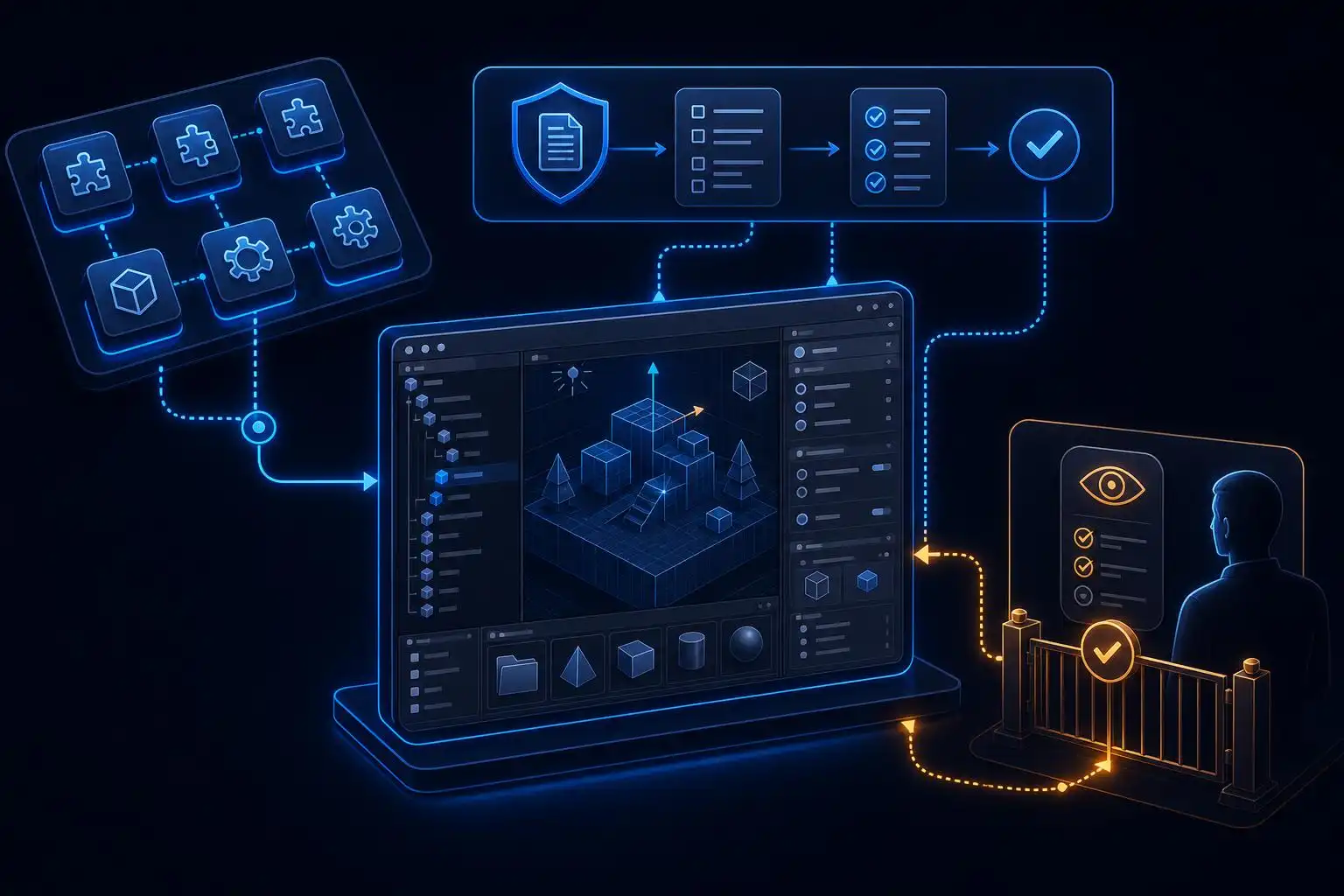
Traditional IDE assistance mostly operates at the cursor: complete a symbol, explain an error, suggest a short block. Agent plugins work at a different layer. They can give an agent a named capability, a repeatable workflow, conventions to follow, and pointers to the tools or documentation it should use before modifying a project.
That distinction matters in game development, where a request such as “add a settings menu” can span C# scripts, prefabs, serialized fields, UI Toolkit or UGUI choices, platform persistence, input behavior, and play-mode validation. A generic model may produce code that looks right while selecting an outdated API or failing to account for Unity-specific project structure.
Vendor-maintained skills do not make review optional. They do, however, move the agent’s starting point closer to the project’s actual platform contract. That is an increasingly useful model as agents shift from giving suggestions to researching an issue, implementing changes on a branch, and returning a reviewable result.[2]
Why first-party maintenance changes the risk calculation
Community prompts and skills remain valuable, particularly when a company needs internal knowledge encoded quickly. But engine and framework ecosystems change constantly. A first-party plugin has a clearer incentive to track supported versions, deprecated APIs, recommended architecture, and known workflow traps.
That does not mean blindly trusting a vendor package. Treat it as a dependency with an authority advantage, not as an infallible engineer. Before enabling it broadly, inspect what instructions it supplies, whether it can invoke tools or shell commands, what data may leave the machine, and how updates are delivered.
The same principle applies outside Unity. GitHub Copilot remains the low-friction all-around choice for developers who want assistance inside their existing IDE, while Cursor and Claude Code are often favored for contextual, multi-file, or more autonomous tasks.[1] The winning environment is not necessarily the one with the most agent features; it is the one whose knowledge and permissions match the job.
Build a layered instruction stack around the plugin
An official skill should be the platform layer, not the entire policy. Your repository still needs to tell every agent how your game is organized, which commands prove a change works, and where it must stop for human judgment. Put those durable rules in a checked-in cross-agent file such as AGENTS.md; keep tool-specific additions minimal.
# AGENTS.md

## Unity project rules
- Target Unity 6. Follow the package versions in Packages/manifest.json.
- Put runtime code in Assets/Game/Scripts and editor-only code in Assets/Game/Editor.
- Do not modify ProjectSettings or serialized assets without listing each affected file.
- Prefer existing project patterns over introducing a new state-management framework.

## Verification
- Run the focused edit-mode tests for changed assemblies.
- Report tests not run and any required manual play-mode checks.

## Review gates
- Ask before changing packages, render-pipeline settings, build scripts, or CI workflows.
This gives the agent a clean division of responsibility. The Unity plugin can teach engine-aware practices; the repository file supplies local architecture and safety constraints; the task prompt specifies the desired outcome and acceptance criteria. A model can change, and a plugin can update, without erasing the team’s operating rules.
Use the agent as a constrained implementation loop
The safest first deployments are narrow, reversible tasks. Ask the agent to inspect and plan before it edits, then make the implementation in a small branch or worktree. Require it to enumerate assets and settings touched, because Unity changes can hide in serialized files that are easy to overlook in a code-only review.
A good prompt is specific about boundaries:
Inspect the existing pause-menu implementation and propose a Unity 6-compatible
plan to add a master-volume slider. Reuse current UI patterns and AudioMixer
configuration if present. Do not change packages, ProjectSettings, or scenes
until I approve the plan. After implementation, list every modified asset and
provide edit-mode and manual play-mode verification steps.
That prompt makes “done” testable. It also avoids the common failure mode of asking an agent to “modernize the UI,” then discovering it replaced a working project convention with a broad new framework.
Measure what the skills actually improve
Plugin counts—29 skills versus 31—are useful release details, but not an engineering metric. Run a small evaluation set drawn from your backlog: a script-level bug, a prefab/UI adjustment, an editor-tool improvement, a package-integration question, and a task where the correct outcome is to ask for clarification.
For each task, compare a plain agent session with a plugin-enabled session. Track first-pass build or test success, review rework, incorrect API usage, unintended asset churn, time to a mergeable pull request, and whether the agent respected approval gates. That is more actionable than asking which agent is “best.”
Open-source projects are also rapidly filling the surrounding operational gaps, from syscall-level agent observation to Git-native provenance that records which agent wrote lines of code.[4] If agents will modify game code and assets at scale, visibility into their actions becomes just as important as the quality of their skills.
The broader pattern: platforms will ship expertise, teams will supply judgment
Unity’s releases signal a maturing distribution model for agent knowledge. Instead of every developer pasting long prompts or relying on stale web training data, tool vendors can deliver curated capabilities where developers already work. The same dynamic will likely spread through cloud SDKs, databases, frontend frameworks, and internal platform teams.
The caveat is strategic: a plugin is not a replacement for engineering design. Agentic tools are being adopted to handle larger multi-step tasks, but developers still need to decide requirements, examine diffs, validate behavior, and own production outcomes.[5] In practice, authoritative skills make delegation safer when paired with narrow permissions, repository instructions, and meaningful tests.
Key takeaways
- Unity’s first-party Claude Code and Codex plugins make vendor-maintained agent skills a serious workflow primitive.
- Use official plugins for platform knowledge, but keep project rules and approval gates in version-controlled repository instructions.
- Start with scoped, reversible Unity tasks and require explicit plans, asset-change lists, and verification steps.
- Evaluate skills against representative backlog tasks, measuring rework and safety—not feature counts.
- As agents gain autonomy, provenance and runtime observability belong in the engineering toolchain.
References
- 9 Best AI Coding Tools in 2026: IDEs, Agents, & Copilots Compared — https://memeburn.com/best-ai-coding-tools
- AI Coding Tools in 2026: How GitHub Copilot and AI Coding Agents are Changing Software Development — https://medium.com/@techassistant.hub/ai-coding-tools-in-2026-how-github-copilot-and-ai-coding-agents-are-changing-software-development-67b826ca26de
- Unity Plugins Give Claude Code 29 Skills, Codex 31 [2026] — https://shattered.io/unity-claude-code-codex-plugin-skills-2026
- bradAGI/awesome-cli-coding-agents — https://github.com/bradagi/awesome-cli-coding-agents
- OpenAI Codex vs Claude Code: Which AI Coding Agent Wins in 2026 — https://mem0.ai/blog/openai-codex-vs-claude-code-which-ai-coding-agent-wins-in-2026


Leave a Reply
You must be logged in to post a comment.